
Overview
BTCL allows endusers and admins to install some Control Panels directly on the VPS. However, shutting down the VPS will be required in case of Xen and KVM VPS.
Procedure
Firstly login to the BTCL Control Panel and choose the VPS you wish to install the Control Panel on. There click on the Control Panel icon.
A small window will popup showing the icons of some popular Control Panels like cPanel, DirectAdmin, Plesk, Webuzo, etc. Select the Control Panel you wish to install. e.g. Webuzo
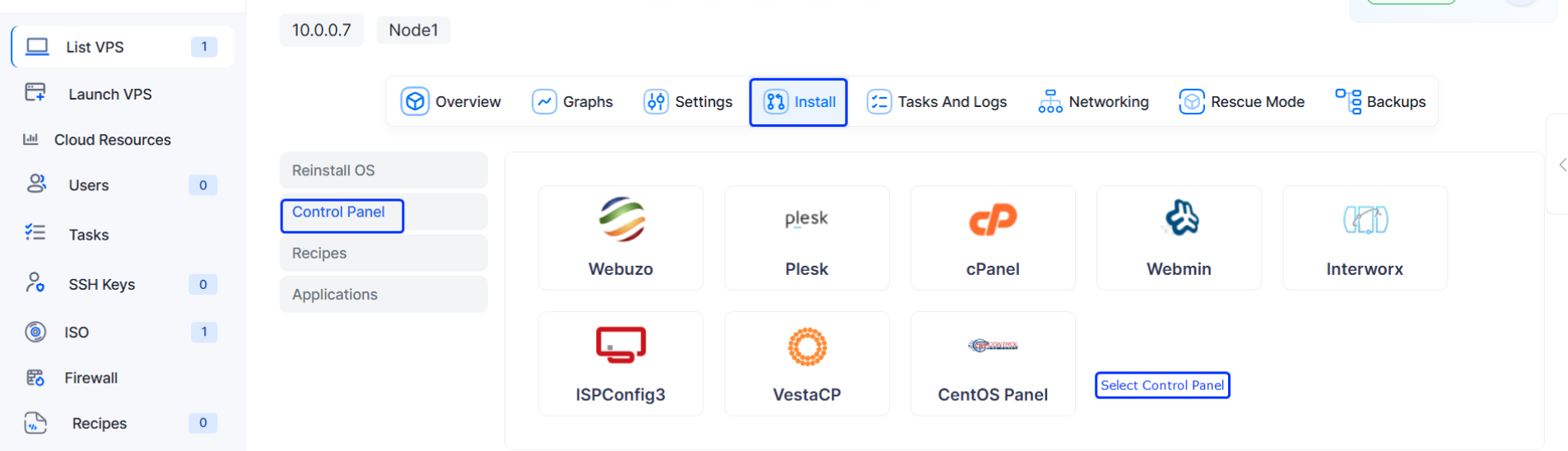
After choosing the Control Panel of choice you will be asked for a confirmation. Click on Yes
NOTE : For Xen and KVM VPS, you will need to Shutdown and then Start the VPS (not restart). This is required so that BTCL can alter files which is not possible during a restart and is only possible during the startup of the VPS after it has been shutdown. For OpenVZ VPS, the installation begins instantly.