Change Account Password
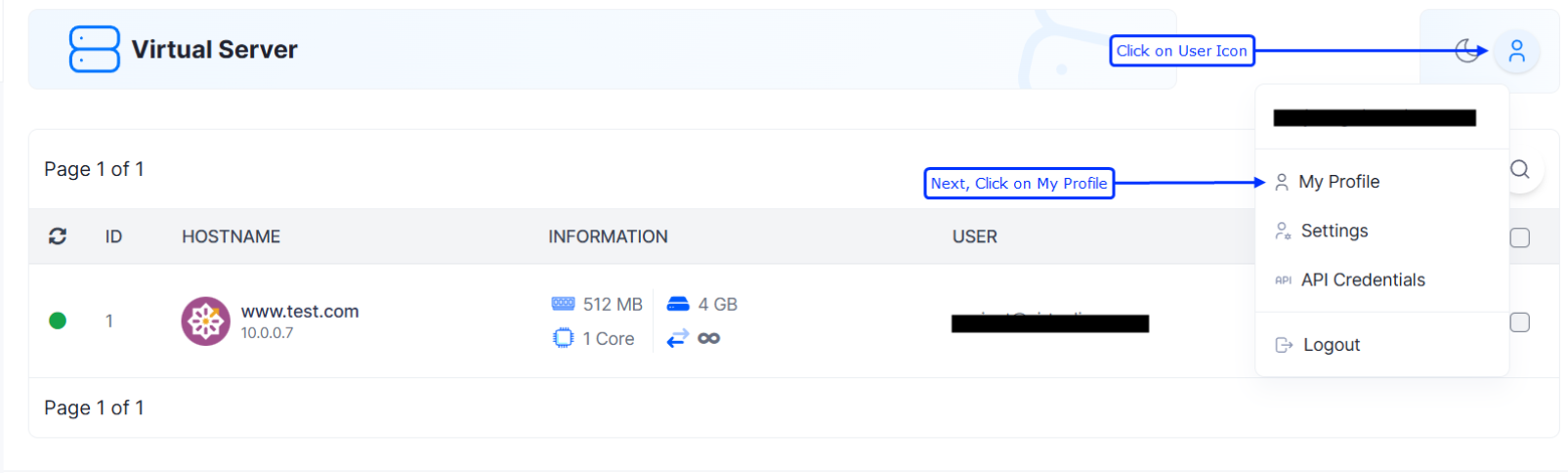
To change your password, go to BTCL and then click on your user name and then select My Profile.
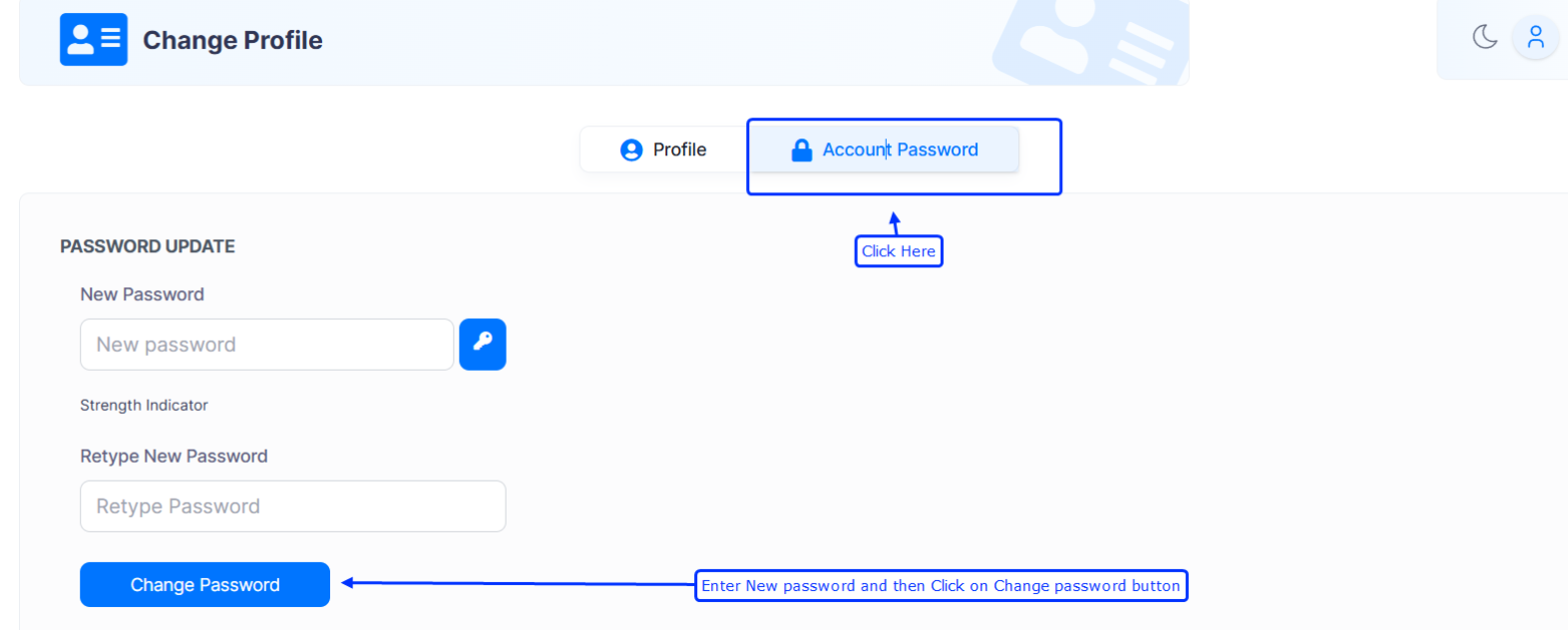
Navigate to "Account Password" tab and then enter the new password and then click on "Change Password".

To change your password, go to BTCL and then click on your user name and then select My Profile.
Navigate to "Account Password" tab and then enter the new password and then click on "Change Password".